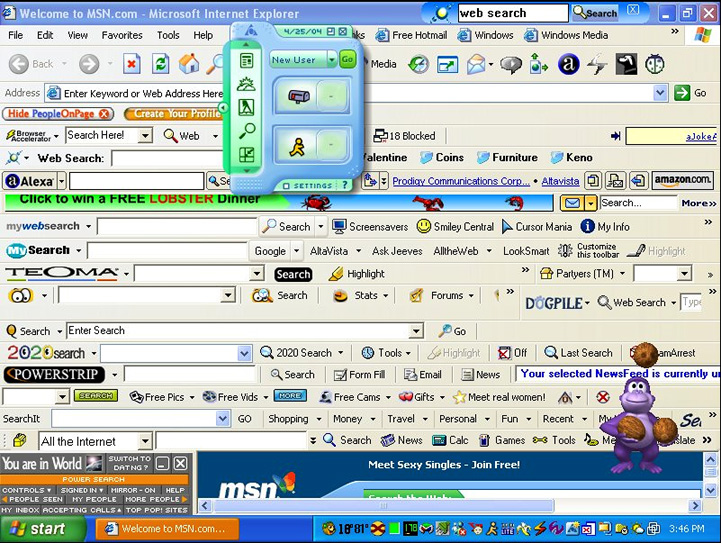
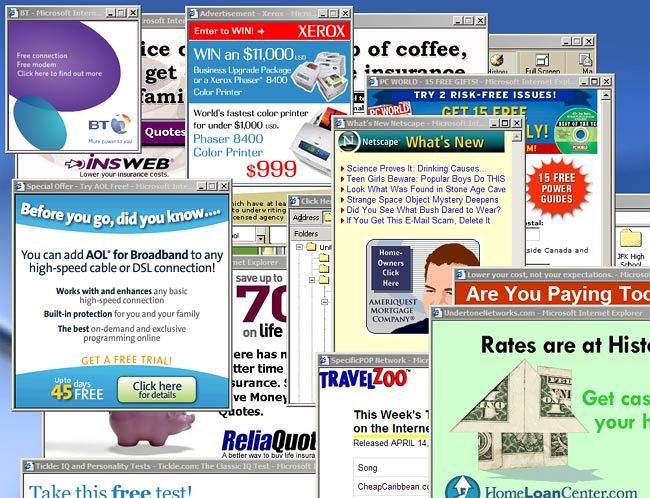
| Here are some useful utilities and programs to protect, dress up and streamline your PC, as well as info to help with troubleshooting, virus and spyware removal, and general enhancement of one's computer know-how. Also included are a few downloads of games and accessories in ZIP packages. Note that Windows Vista/7/8 are not capable of running several of these utilities. Still some good stuff here to choose from, and if you visit this page often you may want to use the above Quick Links instead of scrolling. |
|
A general step-by-step on cleaning up an infected PC (revised 4/15) : • SPYWARE REMOVAL PROCEDURE Many viruses come from rogue anti-spyware companies that infect your computer to sell the product. Read about them here (dated material / archive) : • EXTORTIONWARE MalwareBytes has quickly become the industry standard. A MUST-HAVE and Highly recommended : • MALWARE BYTES One of the pioneers in anti-spyware technology. I haven't used it myself for awhile so I'm not familiar with their latest version, but like past releases I'm sure it's top-notch : • AD-AWARE This program is a great companion to Ad-Aware. What one doesn't catch the other probably will : • SUPER ANTISPYWARE Another great tool to add to your arsenal. These folks, along with LavaSoft, are pioneers in the anti-malware fight : • SPYBOT Whereas Ad-Aware cleans out spyware, this free program from JavaCool trys to block it before it infects your computer. It features live update and for $9.95 an auto-live update plugin. Highly configurable and runs quietly and invisibly in the background : • SPYBLASTER Rootkits and Bootkits are viruses (usually reinstallers) that attach themselves to the Master Boot Record of your hard drive. Bootkits are becoming more popular because they cannot be found by conventional virus scanners and can only be removed by nuking the drive. This utility from Kaspersky is the only one I've found that finds and removes them (new build 12/11) Highly recommended : • TDSS KILLER A new trend in spyware stealth is using cookies as a back door for their invasive programs. This will help you build a filter for those kinds of cookies : • COOKIE WALL This small program is the accepted tool today for disabling browser viruses, but if you're not sure what to delete you should post the results of the scan to a reputable forum first. There are lots of people out there glad to help who use this program every day. Highly recommended : • HIJACK THIS This brute-force use at your own risk program is what I use when nothing else works to get rid of a nasty browser redirect or Russian PC-jacking. When all you have is a hammer, everything else looks like a nail. Highly recommended : • COMBOFIX Another must-have. This tool not only removes hijackers & redirectors but is great at cleaning out crapware Highly recommended : • ADW CLEANER Another program similar to ComboFix. Very aggresive and thorough, but needs to be extracted then run in Safe Mode : • SDfix The Windows Hosts File is IE's list of exceptions and restrictions that can be altered by a virus to allow its parent server to access your browser, and stop you from visiting web sites the virus sees as a threat. This app helps to fix or restore that list (XP only) : • HOST FILE READER Another legitimate internet component on the rise for abuse by ad companies are BHOs (Browser Helper Objects). This helps identify and disable the nasty ones : • BHO DEMON This utility repairs LSP settings damaged by rogue host files. It has rescued me several times when blocked from certain websites or plagued by weird javascript errors (Xp only) : • WINSOCK FIX With today's rootkit viruses, real-time scanners are pretty much worthless. Sometimes they can take out infections, but none of them can block rootkit infections. However, if you still feel safer with a background scanner, this is as good as any free program out there : • AVG VIRUS SCANNER I used Avira for several years and preferred it over AVG or any other virus application I've found. It's free, as are the updates, but it does have a nag pop-up when it finishes its updates : • AVIRA VIRUS SCANNER Instructions on turning the nagbox off can be found HERE This is a free post-infection virus scanner from industry leader Kaspersky that has a purchase option for the real-time version (email required, easy, no-spam) : • KASPERSKY VIRUS REMOVAL TOOL I'm afraid there are no filters to protect against email scams. Lately people have been tricked into giving up credit information by emails and websites disguised as eBay or PayPal : • EMAIL SCAMS This wonderful site has a little info on email scams, but is more about research into email hoaxes, telephone scams and urban legends. Great stuff but has popups : • SNOPES This is a tool for your right-click menu that will unlock stubborn "access denied" files. Works GREAT! (Tip: Choose "Explorer Extension" only) : • UNLOCKER 1.8.7 A wonderful run-once tweak for XP that runs in the background and improves your internet speed by 30% or more : • AUTOBAHN ACCELERATOR This program works similar to MSCONFIG except it has a database that attempts to identify startup items (although I've seen it be incorrect in its identifications). Great for figuring out what processes can be safely turned off, and also for identifying "fake name" processes that are actually scumware programs in disguise. It also alerts you when a program tries to alter your startup files. Not sure about Vista/7 compatibility : • STARTUP MECHANIC I've tried a few auto RAM defrag/clean programs only to uninstall them, but this totally free memory manager does exactly what it's supposed to, no more no less, and does it the way you want it to. A very useful startup item for 256MB and under systems : • FREERAM PRO There are lots of forums out there where people share their computer knowledge, but when I really get stumped I usually end up here for advice. The brightest of the bright : • ANNOYANCES.ORG And speaking of the brightest of the bright, in my opinion this guy definitely falls into that category. He has fixes for just about everything : • DOUG KNOX This is the Rolls Royce of boot discs. It has a mini version of XP that runs pre-Windows and includes tools for every problem. Worth its weight in gold, but absolutely free. Highly recommended : • HIRENS BOOT CD Here are burn instructions and software if you need it for the Hirens Boot Disk : Highly recommended : • ISO BURNER This 30-day trial program does an amazing job of cleaning your Windows registry and hard drive. Comparable and in some ways superior to Norton SystemWorks, but at a fraction of the cost. : • ACE UTILITIES A nice registry cleaner for Windows 7 that is absolutely free. Highly recommended : • WIN 7 REG CLEANER This stand-alone program is an extremely detailed startup manager. A great tool for finding rogue processes but dangerous if you don't know what you're doing : • STARTUP ANALYZER Here is a wonderful no-strings-attached registry cleaner/ fixer to keep XP running smoothly Highly recommended : • WINDOW REGISTRY REPAIR Here is a great free format/partitioning utility that I found to fix a USB hard drive, but is also useful for other drives as well that will not format via Windows : • PARTITION WIZARD This Australian app is a wonderful free alternative to the resident Windows defrag utility. Highly recommended : • AUSLOGICS DEFRAG As I mentioned, I can e-mail any DLL files you may need. However you can download them instantly from this site : • DLL FILE ARCHIVES Problems with XP re-arranging your icons? Merge this registry entry to save your icons where you put them without having to use the flaky "Lock Desktop Items" feature: • LOCK ICONS REG The best backup is a cloned drive. Here is a very easy to use hard drive cloner (choose xxclone.zip) : • XXCLONE More tips from yours truly for do-it-yourselfers : • URSA MINOR The following is for anyone interested in starting their own web page : • HTML BASICS This info is useful not only for web design, but also in determining font usage on documents that will be viewed on other computers, such as Word or Powerpoint presentations emailed to other users : • STANDARD WINDOWS/MAC FONTS This totally free FTP program is perhaps the best I've seen (in fact I'm using it now). Simple drag-n-drop transfer and real-time edit/update on the server. Multiple site management, highly configurable and easy to use. Highly recommended : • CORE FTP Although Flash is still the standard in web animation (don't tell Apple), sometimes a good old javascript is just what the doctor ordered. Here are some cool ones : • DYNAMIC DRIVE Okay, someone told Apple, and since they have banned Flash you may want to convert your Flash content to HTML5 using this : • GOOGLE SWIFFY This free signup, no-nag site will show how your website looks on your choice of mobile devices. Great for checking Swiffy content as well as responsive design : • MOBILETEST ME Most "trial" versions of URL submission programs have so many limitations they are pretty much useless unless you buy the full version. This old no frills free program from Simtel gives you 32 engines with no strings attached : • FREE SUBMISSION 2000 This excellent free tool cleans up your web pages making them easier to edit and quicker to load. I do recommend NOT using the "merge lines" option as it makes your code hard to read & modify : • ABSOLUTE HTML COMPRESSOR Find where you rank in the search engines for specific keyword strings : • SITE RANKER A very nice free html/ word editor : • NOTETAB LIGHT Analyzes html errors, CSE compliance, plus is a great html editor Highly recommended : : • CSE VALIDATOR LITE Minor Notes currently consists of 1,421 different URLs. This free program makes it a LOT easier to check for broken links : • XENU LINK CHECKER The Windows file INDEX.DAT records every website and filename you have visited since day one and can become VERY large over time. Adding these lines to your AUTOEXEC.BAT file will delete this on reboot since it cannot be deleted from Windows : • INDEX.DAT FIX Before you delete your INDEX.DAT file, this small viewer lets you see what's in it if you're curious : • INDEX.DAT VIEWER Check your bandwidth online : • CONNECTION SPEED TEST I use many of the programs listed here on a regular basis. Macros are great for automating them. Here is a nice and simple (and totally free) mouse/ keyboard recorder: • FREELABS MACRO RECORDER This small free program corrects your computer's time by syncing it with one of the world's atomic clocks : • WEBTIME I originally downloaded this small CPL addon to get rid of the ugly shortcut arrows on my desktop, but it has lots of other uselful tweaks for customizing your windows configuration : • TWEAK UI This is a music-only P2P app from the Netherlands for serious music sharing adults looking for hard to find artists and full albums in high res : • SOULSEEK This site is one of many that sell LEGAL mp3 downloads of popular and hard to find music for 9 cents a song. Free song preview and high quality 320KBPS files : • MP3 MILLION Here you can find older releases of many popular programs that are sometimes preferable to the newest build. If it aint broke don't fix it : • OLDAPPS.COM And speaking of older being better, here is a great replacement for Windows Media Player based on player 6.4, but with all the new codecs, full blown options, no bundled crap, plus support for QuickTime as well as all Windows formats : • WMP CLASSIC PLUS QT An awesome photo editor that's as close you'll get to Photoshop in a totally free app : • PAINT.NET XP was the last Windows with email. For those who don't care for internet "cloud mail", this FREE bolt-on email client from Sylpheed is very reminiscent of Outlook Express plus can import your old OE folders. Simple, functional, yet elegant : • SYLPHEED EMAIL CLIENT The following section contains games, icons, cursors, e-mail wavs etc. in small ZIP packages : • DOWNLOADS |
| OTHER THINGS TO WATCH OUT FOR: 4/12: Fake AT&T e-bill that looks just like the real thing, except it's sent out to multiple recipients, and the links are all re-directs to Lord knows what. 3/12: Quickbooks users: A drive-by disguised as an Intuit invoice email notification is floating around. Pretty obvious, but I got hit by the hidden javascript trying to locate the owners of the breached server used for this. Died easily with ComboFix, but if I had rebooted I would probably not have been able to run CF, or anything else for that matter. 10/11: 419 email scammers are quite busy right now. I've been receiving a half dozen a day for several weeks now. For an absolutely brilliant website about scambaiting, go to 419 EATER.COM 3/11: Facebook clickjacking is on the rise again in the form of fake youTUBE links. Be careful as these can spread like wildfire and can be embarrassing since they show up on your wall. 3/11: Emails claiming to be from UPS containing a WINRAR archive with the trojan installer file "UPS.exe". 3/11: Another poorly done email claiming to be from DHL (which doesn't even operate in the US anymore) with an attachment called "tracking.zip" containing a trojan called "FedEx.exe". 12/10: HDD Defragmenter extortionware spreading like wild fire via fake Adobe Reader update popups. Read more HERE 9/10: Google Image Search and AOL Image Search have been "hacked" for a long time now by websites that hijack image search results by hotlinking to images from all over the net and redirecting users to their site. Most are click-for-profit or shopping sites, some are Russian virus distribution sites. With filters off, 10% or more of all google images are now hijacked. Google is unable or unwilling to address this issue. The tip-off on these hotlinks is the url will usually be a .info extension and contain long numbers with names that don't fit the search (tattoo965386.info or clothes825764.info for example). Be careful or set filter to "moderate". 8/10: Variations on a theme...here is a fake AVG email that's floating around to trick people into downloading their Russian scareware extortion application that harvests credit card numbers. I have disabled all the links to the installer so this is harmless to look at, but amusing nonetheless: AVG EMAIL SCAM 7/10: Inevitable I suppose. Now marketing bottom feeders and virus mongers are emailing fake Facebook notifications to trick you into clicking on a link that will redirect you to any number of undesirable sites or hijacking apps. What they lack in ethics they make up for in creativity. 9/09: Not virus related, but widespread. Computers everywhere are being redirected by Yahoo to m.yahoo (Yahoo Mobile). 6 months now and Yahoo obviously has no intention of fixing this, so here's the quick fix: Add m.www.yahoo.com and/or m.yahoo.com to your restricted sites list in "Tools/Internet Options/Security/Restricted Sites" then clear your cookies (make sure Yahoo is not open at the time), then reboot. This will restore your Yahoo home page. Update 11/10: This is no longer an issue. However I will leave this entry on here for 6 months as though I too have no intention of fixing it. I'm still mad at Yahoo anyway over pimping out their image search. Google has also followed suit. Guess I'm stuck with AOL image search (sigh). 4/09: Fake "greeting card" virus distribution is on the rise again, this time with an authentic looking Hallmark web page disguise. 12/08: Email with caption "New Version Antivirus 2009 for Windows" or similar with an "activation code" and link. You know what happens next. 12/08: New variation of server side virus that adds malicious script to web pages. For more info click HERE 11/08: Emails with outlandish news stories, like "Obama resigns / McCain declared winner", that entice the reader into clicking for the "full story". These links are actually to dangerous websites or drive-bys. 8/08: Be careful on MySpace. If you see a popup saying your computer is running slow, or may be infected, etc. DO NOT click-out. It will carry out its drive-by regardless of what you click. Use ctrl-alt-del to end task, force your machine down by holding in the power button, or just pull the plug. Any other action will result in a ransomware installation that is VERY difficult to remove. 4/08: Emails claiming to be IRS follow-ups for tax refunds asking for SSN, PINs, etc. 9/07: Fake Amazon.com website distributed via an email warning of account suspension requiring credit card info for reinstatement. 8/07: A wide variety of emails with .pdf extensions (Acrobat) that are actually virus scripts. 7/07: Numerous emails posing as "e-cards" containing links to automatic virus downloads. 6/07: New assortments of fake emails w/fake websites of PayPal, Ebay, Banks, Credit Unions, etc. looking to harvest passwords, PIN numbers or credit card numbers. 5/07: The original internet scam, still around after all these years: Emails from persons wanting to transfer money to your bank account from an offshore account. |